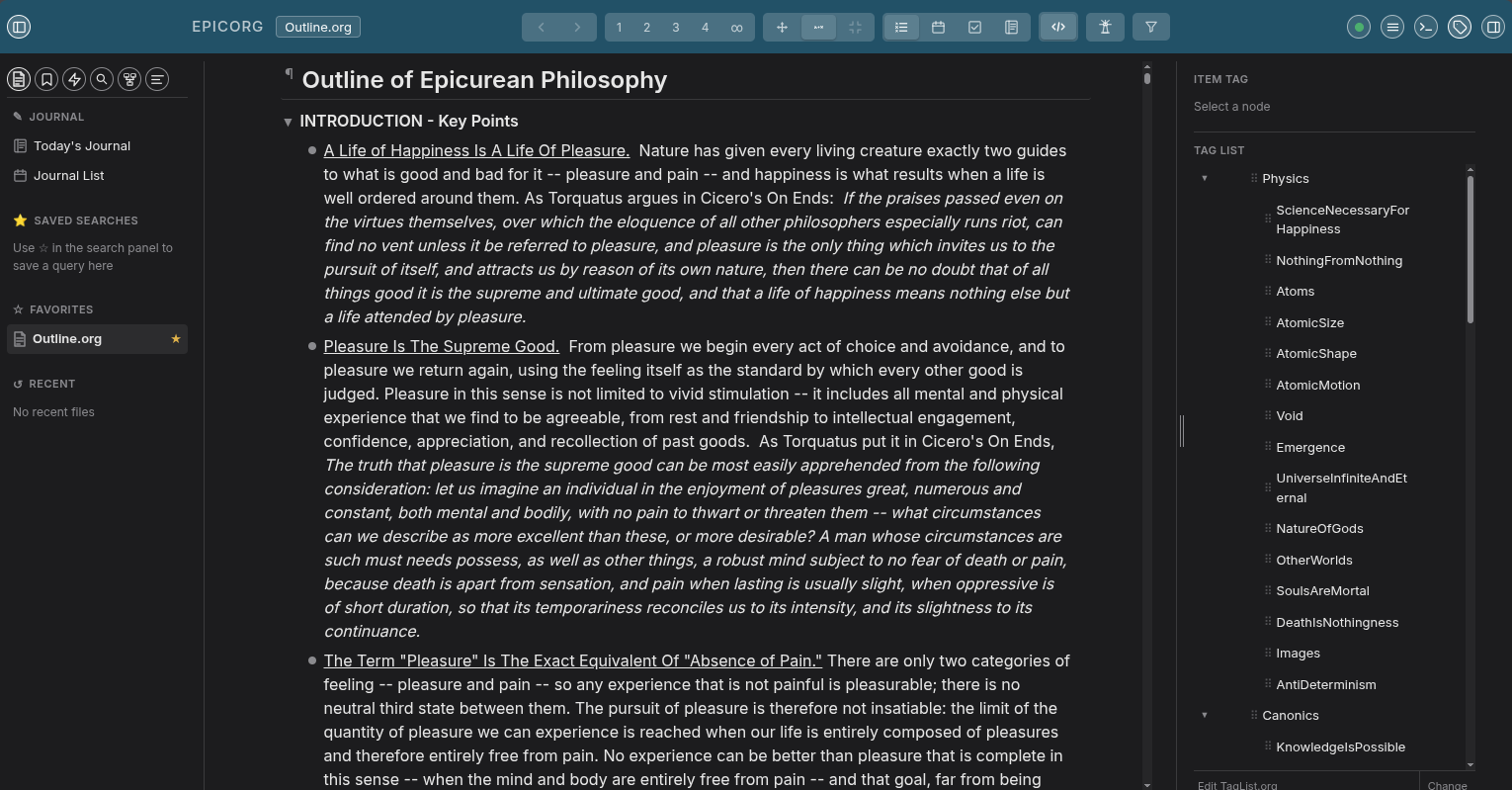
An outline-centered editor in the style of Dynalist and Workflowy, built on the robust org-mode format. Your data stays in standard .org files on your own machine — readable and editable in Emacs, any text editor, or epicorg itself.
Runs as a small local web server on your own computer — you use it through your regular web browser, the way you'd use a Jupyter notebook. Nothing is native-installed, nothing leaves your machine, and no internet connection is required.
Your data lives in standard .org files. Open them in Emacs, edit them with any text editor, commit them to git — no lock-in.
Navigate, create, indent, move, and fold without touching the mouse. A command palette puts every action one keystroke away.
Hover any bullet to reveal a drag handle — drag it to reorder (the entire subtree travels with it, with a drop-line showing exactly where it will land), or click it for a quick menu: Duplicate, Delete, Move, Indent/Outdent, Hoist.
Choose bullets, numbers, or letters (a–z / A–Z) globally or per depth level. Preference is saved into the org file and survives across machines.
Search across every org file in your workspace instantly. Jump straight to any matching item.
Type [[ in any body note to pick a note by title and insert a [[Note Title]] link. Click it in preview to navigate there. A Linked References panel at the bottom of each note shows every other note that links to it.
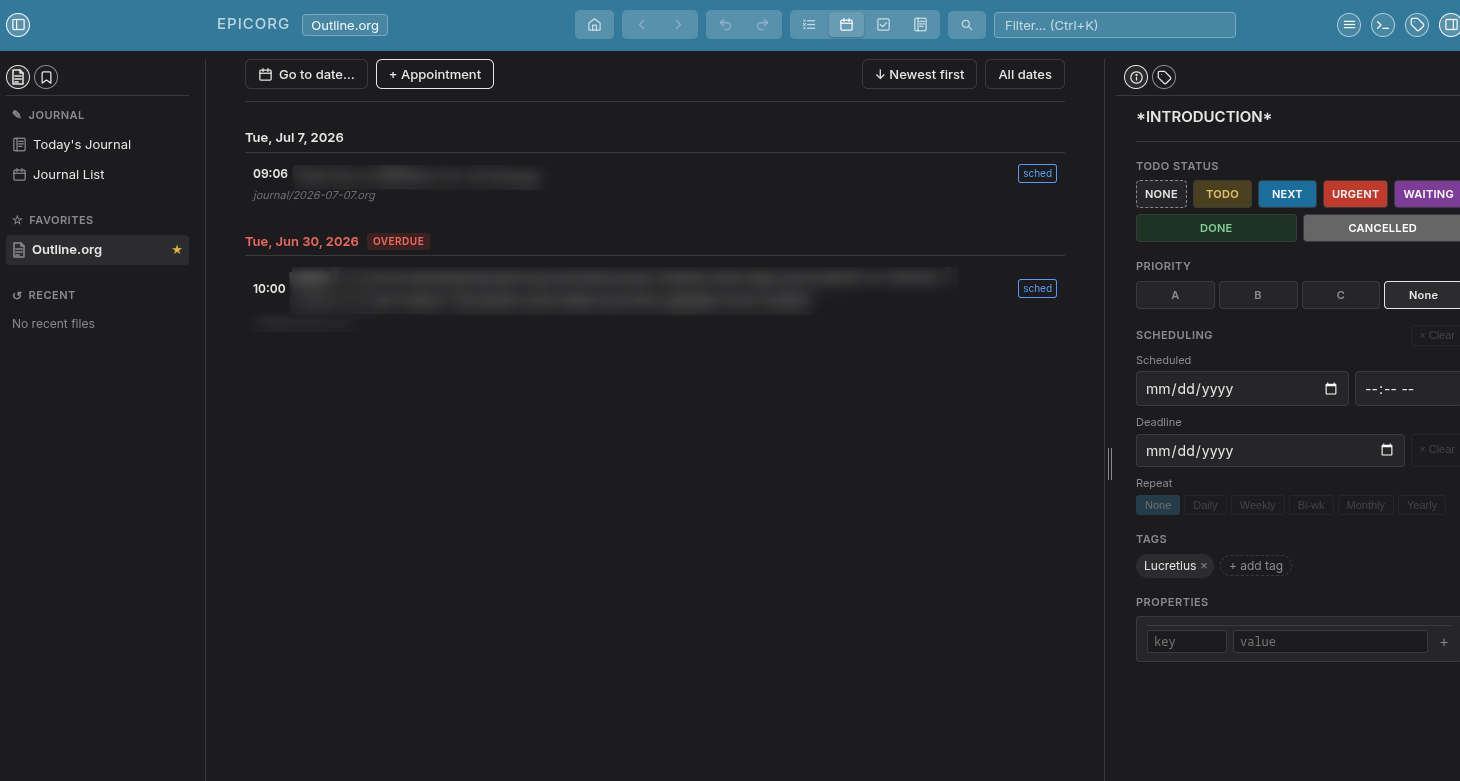
All dated items sorted chronologically with overdue and today indicators — a lightweight daily agenda without leaving the browser.
Tag items and filter the outline by tag. Bookmark any item for instant cross-file navigation. Both can live in dedicated org files.
Alt+1 through Alt+9 collapses the entire outline to that depth in one keystroke. Hoist any node to focus on just that subtree.
External edits are detected via SHA-256 hash and merged automatically with git merge-file. Conflicts surface as standard markers in the UI.
One Go binary embeds the entire frontend. No npm, no Node.js, no runtime dependencies. Drop it anywhere and run it.
Export any document as a self-contained HTML file with navigation, tag filter, dark/light toggle, and your chosen bullet style and accent color.
Clickable TODO/DONE badges stored as standard org keywords. Date picker writes DEADLINE properties — fully Emacs-compatible.
Appointments trigger an on-screen popup ahead of time that stays on screen until you dismiss it — no missed reminders buried in a tab.
Split a heading or note into two at the cursor position — from the keyboard, the command palette, or a note's right-click menu. The cursor always lands exactly where you clicked, never at the end of the text.
Independent of git, epicorg keeps the last 5–10 (configurable) Emacs-style name.org.~N~ copies of each file alongside it — a simple, browsable fallback you don't need to know git to use.
Document-wide undo and redo. Typing coalesces per pause so Ctrl+Z steps back at a natural granularity.
Pre-built binaries for Linux, macOS, and Windows are published automatically as nightly releases. Download the binary for your platform, make it executable, and run it.
# Linux example
chmod +x epicorg-linux-amd64
./epicorg-linux-amd64 ~/org
Opens ~/org in your browser. The directory is created if it doesn't exist.
Go 1.21 or later required. No other build-time dependencies.
git clone https://github.com/cassiusamicus/epicorg
cd epicorg
go build -o epicorg .
./epicorg ~/org
Or try the included example: ./epicorg examples/ — opens automatically.
epicorg reads and writes plain .org files with no proprietary extensions.
Bullet-style preferences are stored as a #+EPICORG_FORMAT: keyword so they
travel with the file. When format is numbers, epicorg also writes
#+STARTUP: num so Emacs org-num-mode activates automatically.